Today I decided to make this website „GDPR compliant“. No more Cookies, Google Analytics, personal data processing, and log files. Not sure if that will protect me from potential legal consequences of not being GDPR compliant but this is a simple personal home page after all and I’m afraid it is all I can currently do to protect myself. I would otherwise need to do all sorts of things, like publishing a long water proof privacy policy, explain the purpose of all cookies, provide an opt out technology for them. I already registered and installed an SSL certificate to protect your personal data contained in comments and contact requests.
If you want to comment on one of the blog posts, you can use the site’s contact form. If you tell me that you want your comment to be public, I will consider adding it to the post in question.
Heute habe ich mich entschlossen, diese Website an die Datenschutz-Grundverordnung anzupassen. Keine Cookies, kein Google Analytics, keine Verarbeitung personenbezogener Daten und keine Logdateien. Dies ist eine einfache persönliche Homepage und ich brauche das alles nicht wirklich.
Ich hoffe, dass die Website damit den Anforderungen der DSGVO entspricht, kann mir aber nicht sicher sein, ob mich das in unserer schönen regulierten Welt tatsächlich vor allem juristischen Fallstricken und Abmahnwellen schützen wird.
Ich fürchte, das ist alles, was ich derzeit tun kann, um mich zu schützen. Ich würde sonst viel Zeit investieren müssen, wie zum Beispiel in das Verfassen einer langen wasserdichten Datenschutzrichtlinie. Auch müsste ich den Zweck aller Cookies erklären, eine Opt-Out-Technologie dafür bereitstellen. Ein SSL-Zertifikat ist bereits installiert, um persönlichen Daten in Kommentaren und Kontaktanfragen zu schützen.
Wer einen der Blogposts kommentieren möchte, sollte also das Kontaktformular der Website verwenden. Der Kommentar kann dann gegebenenfalls zum betreffenden Beitrag hinzugefügt werden.
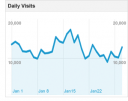 Wer die datenschutzrechtlichen Rahmenbedingungen für die Nutzung von Google Analytics auf deutschen Websites noch nicht kennt, sollte sich spätestens jetzt informieren.
 Apple is quite strict about their
 Whenever I take a look at our web server log files, I am amazed how many robots are trying to hack their way into our machines every day. And whenever I help a friend or neighbor to fix a computer problem, I need to explain even the most essential safety measures as most PCs are infected with some trojan or virus already.
 If a mobile device provides a good browsing experience, users will use it to access the web. This statement is clearly supported by
 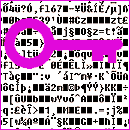 All data on my laptop’s hard drive is encrypted. If the machine gets stolen, no one will be able to boot the operating system without entering the correct pass phrase beforehand. Nothing on the drive looks like a file of has any readable information. My letters, photos, and all other private information are no more than an cryptic stream of random bytes.