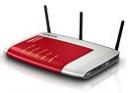
 Wir hatten uns vor Monaten entschlossen, den alten 1&1 Vertrag auf DSL 6000 zu erhöhen, auch wenn man dafür auf dem platten Land mit 5 Euro mtl. Zusatzkosten bestraft wird. Jetzt habe ich endlich die Zeit gefunden, meine neue FRITZ!Box Fon WLAN 7270 zu installieren.
DSL 6000 funktioniert noch nicht 100%. Anscheinend wird die Bandbreite auf 3456 kBit/s gedrosselt. Ich habe den 1&1 support gebeten, das zu korrigieren. Die FRITZ!Box hängt im Netzwerkschrank im Keller. Tolles Gerät mit vielen features. Endlich haben wir den beiden großen Kindern auch ihre eigenen Rufnummern und DECT Telefone verpasst. Kein stundenlanges Blockieren der Leitung mehr.
Ich habe Perl scripts geschrieben, die via HTTP ein mal täglich mit der FRITZ!Box verbinden. Ein script liest die ein- und ausgehenden Anrufe aus und speichert die neuen Anrufe in eine CSV Datei. Ein anderes script liest die öffentliche IP Adresse aus, schickt sie mit HTTP an meine dynamic DNS provider (selfhost.de, dyndns.com) und mit FTP an eine Seite auf meiner Website. Ich weiß dadurch immer, wie ich meinen Laptop im Keller erreichen kann, auf dem die Photovoltaikdaten gespeichert und auf einer nicht-öffentlichen Website angezeigt werden. Alle paar Stunden werden sie von dort auch auf die soldierer.com Photovoltaikseite übertragen.
Der WLAN Empfang reicht leider nicht bis in den Garten. Ohne Repeater ist die Reichweite bescheiden, noch nicht einmal vom Keller in die erste Etage. Zum Glück haben wir in allen wichtigen Räumen LAN Dosen. Typisch Deutschland… alles was funkt muss so schwach wie möglich sein. Das Signal wird von den Stahlbetondecken geschluckt.
Das Web-Interface des Routers ist gegenüber der alten Version deutlich verbessert worden. Auch wartet die Hardware der FRITZ!Box mit einer Reihe nützlicher Neuerungen auf. DECT Telefone können z.B. direkt mit der Box kommunizieren, und ein USB Anschluss ermöglicht das Anschließen einer externen Festplatte oder eines Druckers.
Alles in allem eine lohnenswerte Investition. DSL 6000 flat rate (hoffentlich bald auch in voller Bandbreite), Telefon flat rate, Handy Deutschland flat rate, 4 VoIP-Telefonnummern mit eigener mailbox, toller Router, und alles zu einem Preis mit dem ich zu meiner Studienzeit noch nicht einmal die Telefonkosten decken konnte.
 Update 27 August 2013:
 1&1 bietet seinen Kunden mit „SmartDrive“ eine Cloud Storage Lösung an. Dateien können zum SmartDrive mit einem web interface übertragen werden. FTP wird aus Sicherheitsgründen nicht angeboten, wohl aber WebDAV. Der Versuch, einen Laufwerksbuchstaben an den mit WebDAV in Windows XP konfigurierten SmartDrive Netzwerkort zu koppeln, scheitert. 1&1 fordert nämlich eine verschlüsselte Verbindung (SSL, https). Einen mittels https-WebDAV ins Netzwerk eingebundenen Server kann XP leider nicht ohne weiteres als Laufwerk einbinden. Es gibt hierfür aber eine Lösung.
  Apple is quite strict about their
  Was für eine Enttäuschung! Ich hatte gehofft, der neue Personalausweis würde endlich eine verlässliche und sichere online Authentisierung ermöglichen. Nach zwei Stunden Frustration mit Installation der AusweisApp und vielen gescheiterten Tests komme ich heute zu dem Ergebnis, dass sich diese Technik in der jetzigen Form sicher nicht durchsetzen wird. Da muss noch einiges verbessert werden.
  Whenever I take a look at our web server log files, I am amazed how many robots are trying to hack their way into our machines every day. And whenever I help a friend or neighbor to fix a computer problem, I need to explain even the most essential safety measures as most PCs are infected with some trojan or virus already.
  When I heard